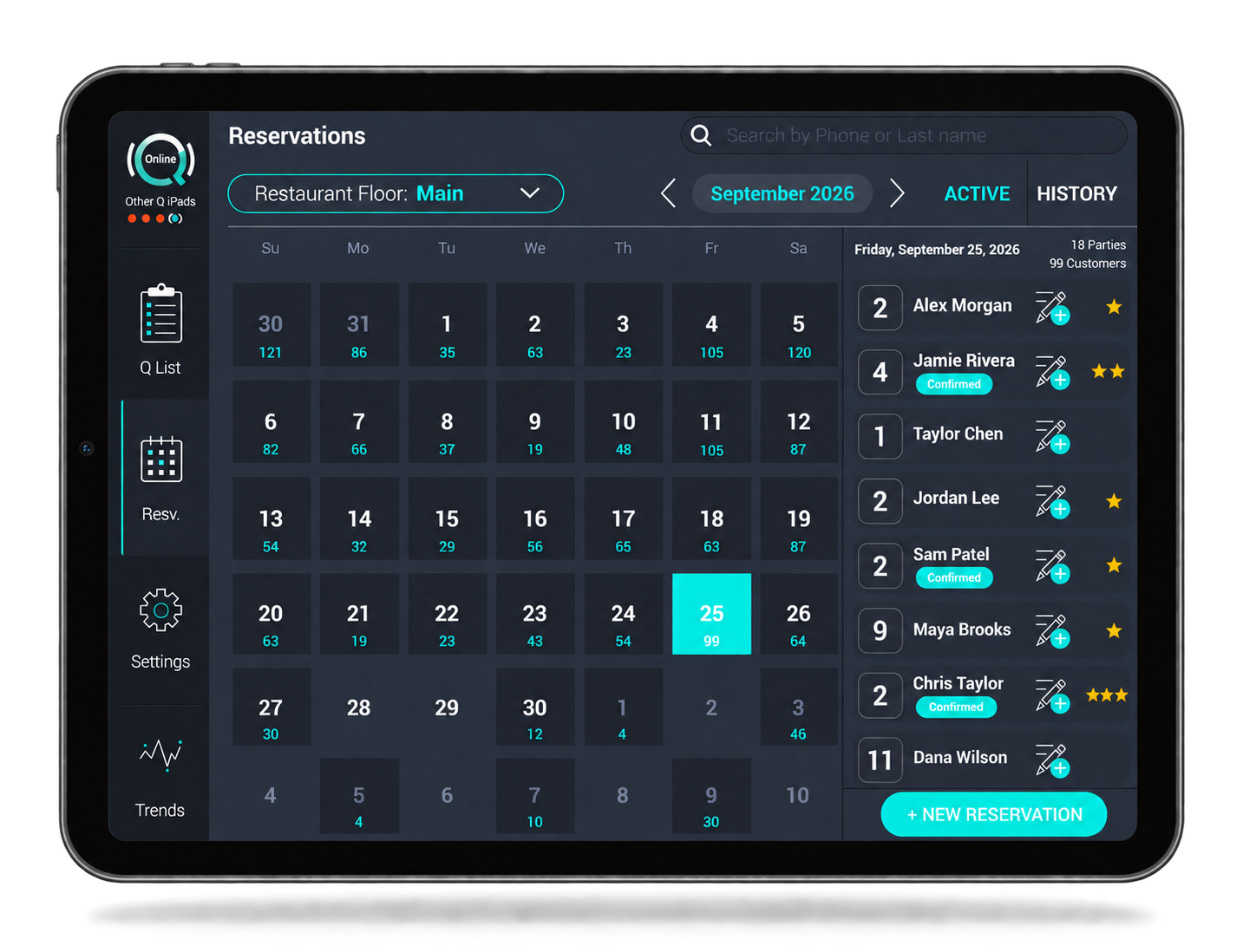
Everything your FOH needs, all in one place
Q Host brings Q List, walk-ins, reservations, guest messaging, table maps, server sections, and seating together in a practical iPad app built for service.
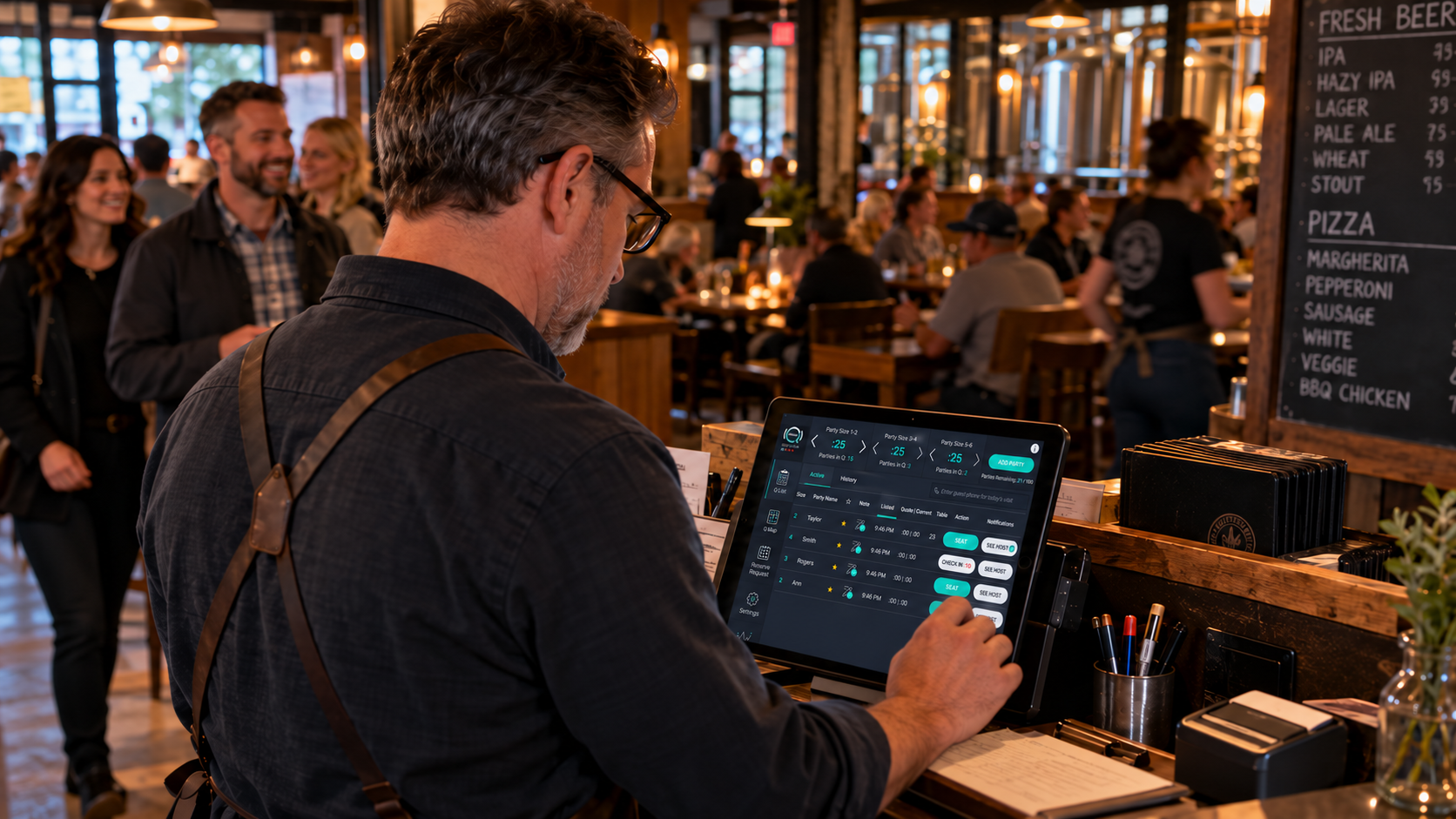
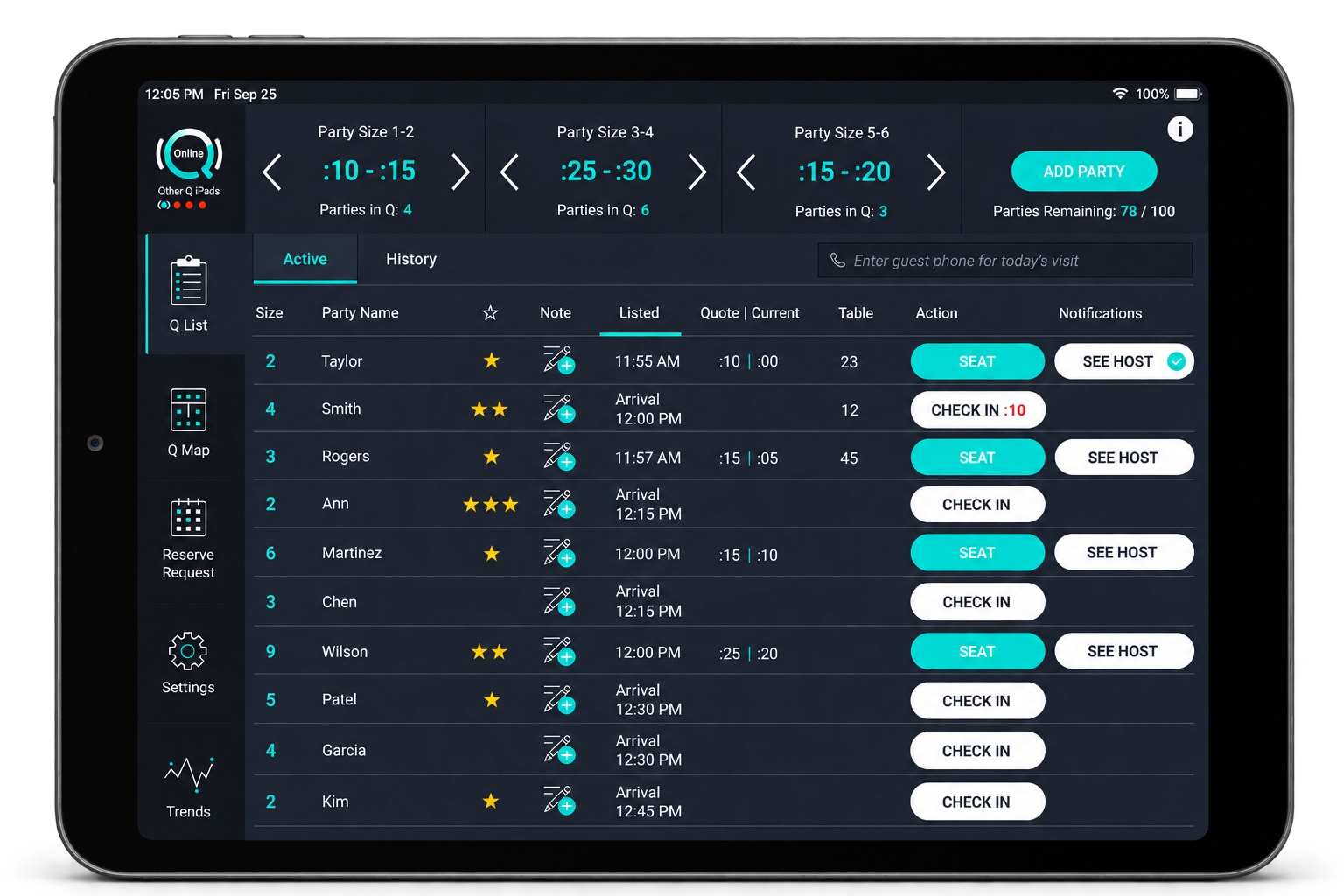
One place to work every arriving guest
Walk-ins and online parties from Google and your website all come together in Q List. Reservations move from the reservation calendar into Q List as their arrival window approaches, giving the host one practical place to work the active floor.
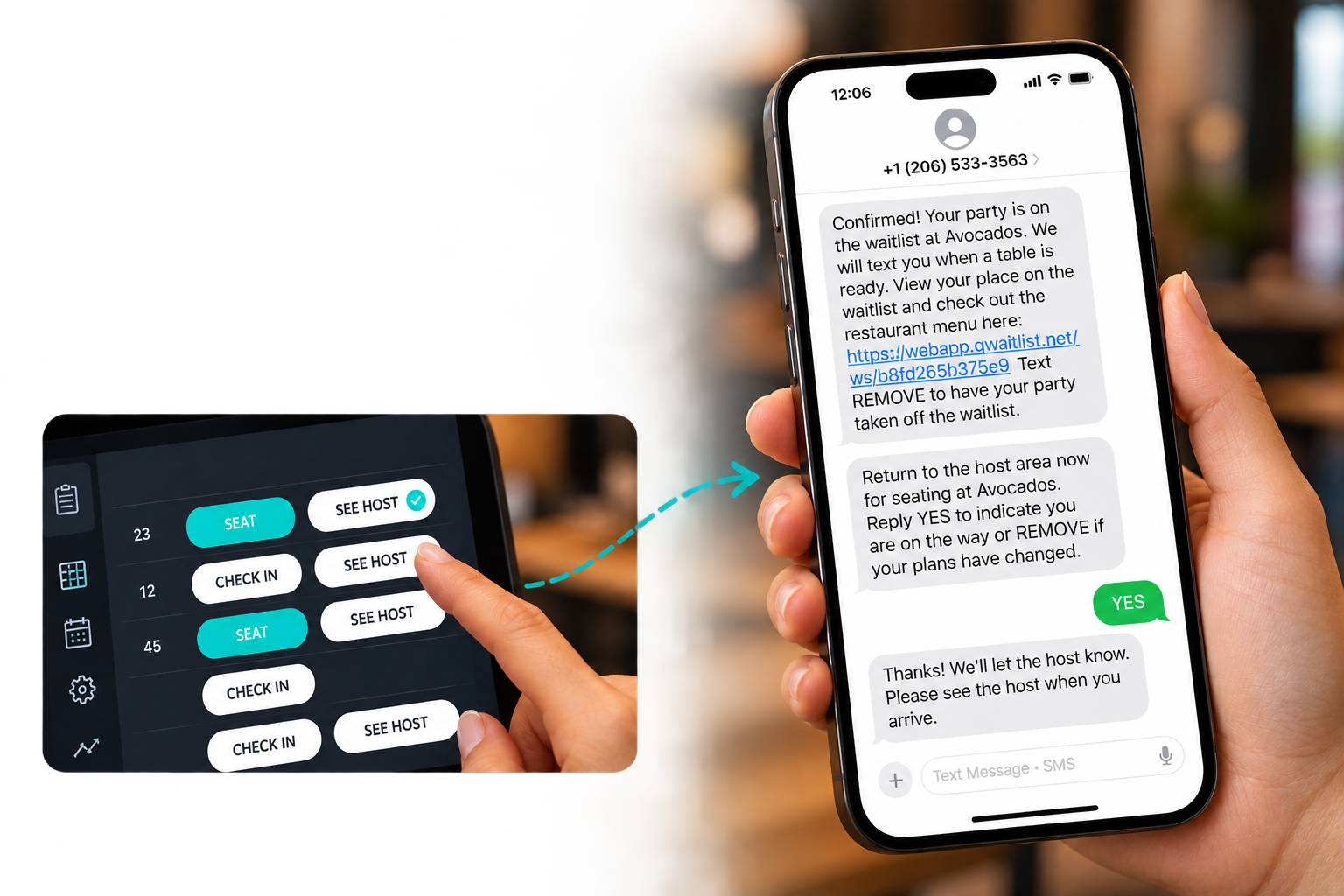
Fully featured two-way texting keeps hosts and guests informed
Confirmations, arrival updates, SEE HOST notifications, and guest replies keep communication moving from arrival through seating.
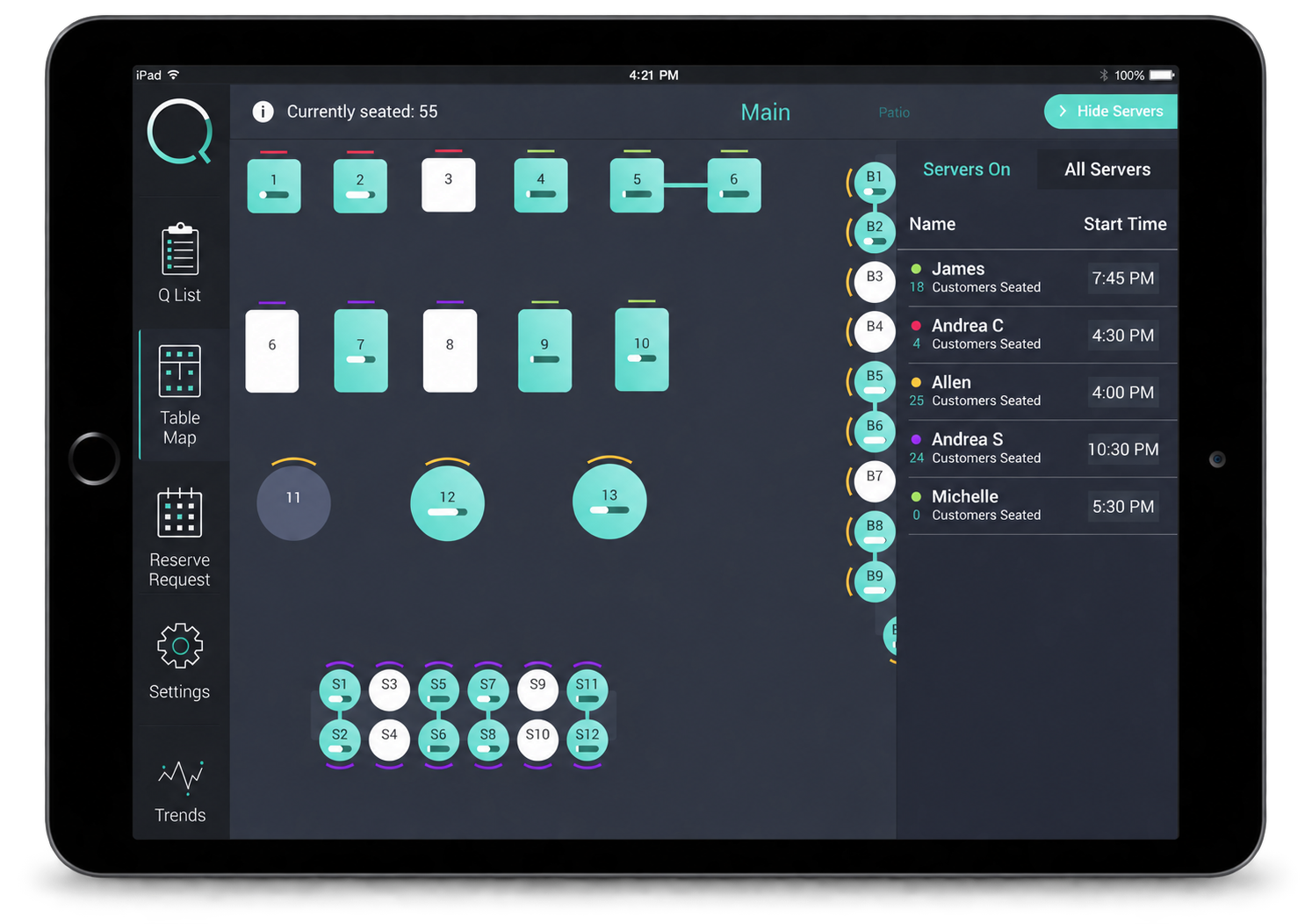
Make better seating decisions
Every Q plan includes a fully featured table map—with table status, check-down, server sections, and rotation — so hosts can keep tables turning.
Reservations when your restaurant needs them
Q Host makes it easy to manage online reservations alongside walk-ins and other arriving parties—without a separate system at the host stand.
Learn about Reservations →